Kubernetes Delivery Platform on AWS EKS
A production-grade container orchestration platform deployed on AWS EKS. Terraform provisions the full infrastructure stack: VPC, EKS cluster, EC2 worker nodes, IAM roles, and OIDC provider. A static portfolio app is containerised with Docker/NGINX, packaged with Helm, and deployed automatically via GitHub Actions with IAM OIDC. An AWS Elastic Load Balancer routes external traffic through NGINX Ingress to the pods.
Delivered a full container lifecycle — build, package, deploy, probe — as a parallel track to the AWS static path, demonstrating two production-grade deployment approaches in one platform
Packaged releases with Helm to standardise upgrades, rollback workflows, and environment configuration across the cluster
Configured readiness and liveness probes to enforce health-gate behaviour, preventing traffic from reaching containers before they were ready
Running containers on a single server with no orchestration means no self-healing, no rolling updates, no load balancing, and no production-grade infrastructure. A crash takes the service down permanently.
AWS EKS manages the Kubernetes control plane. Terraform provisions the full VPC and cluster stack. Helm deploys the app. GitHub Actions automates every build and deployment with IAM OIDC — no stored AWS credentials.
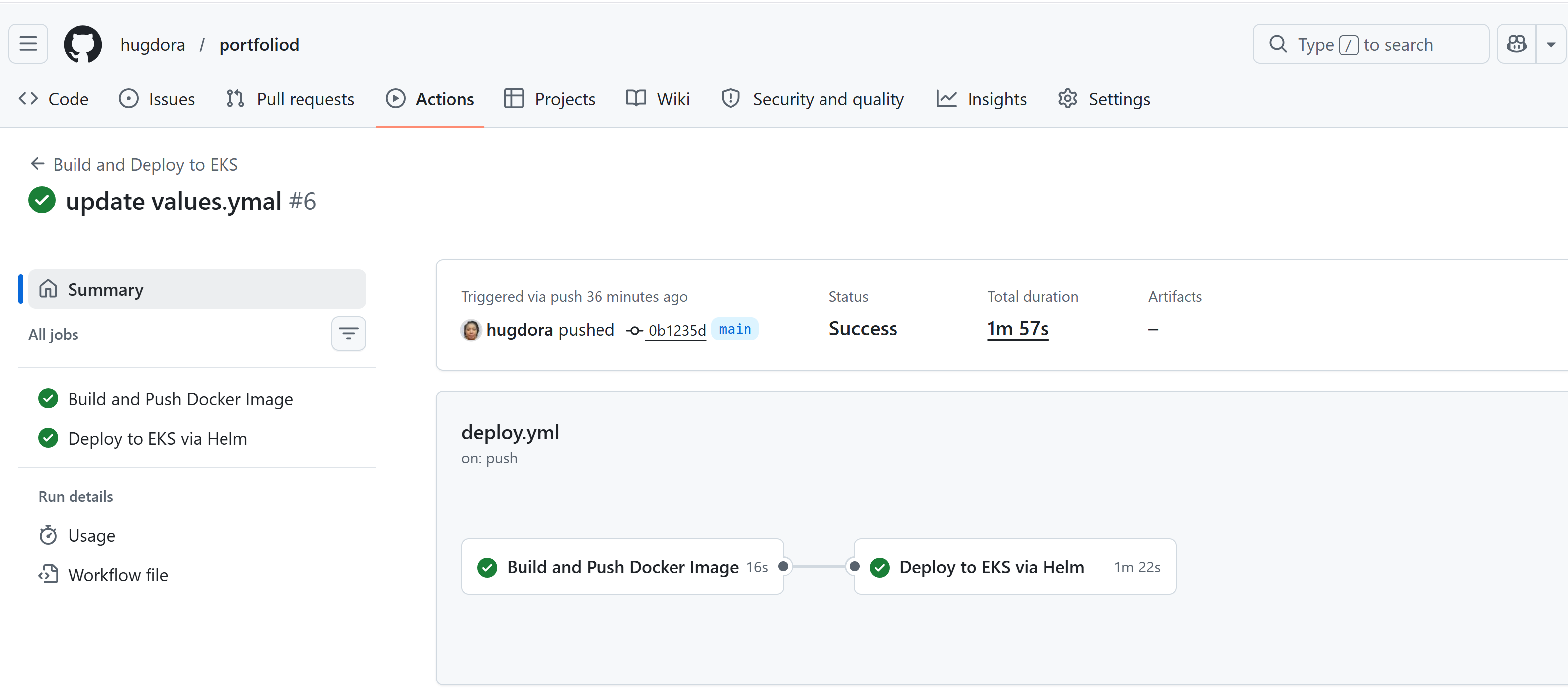
Both jobs green: Build and Push Docker Image (16s) → Deploy to EKS via Helm (1m 22s). Triggered by push to main. Status: Success. Total duration: 1m 57s.
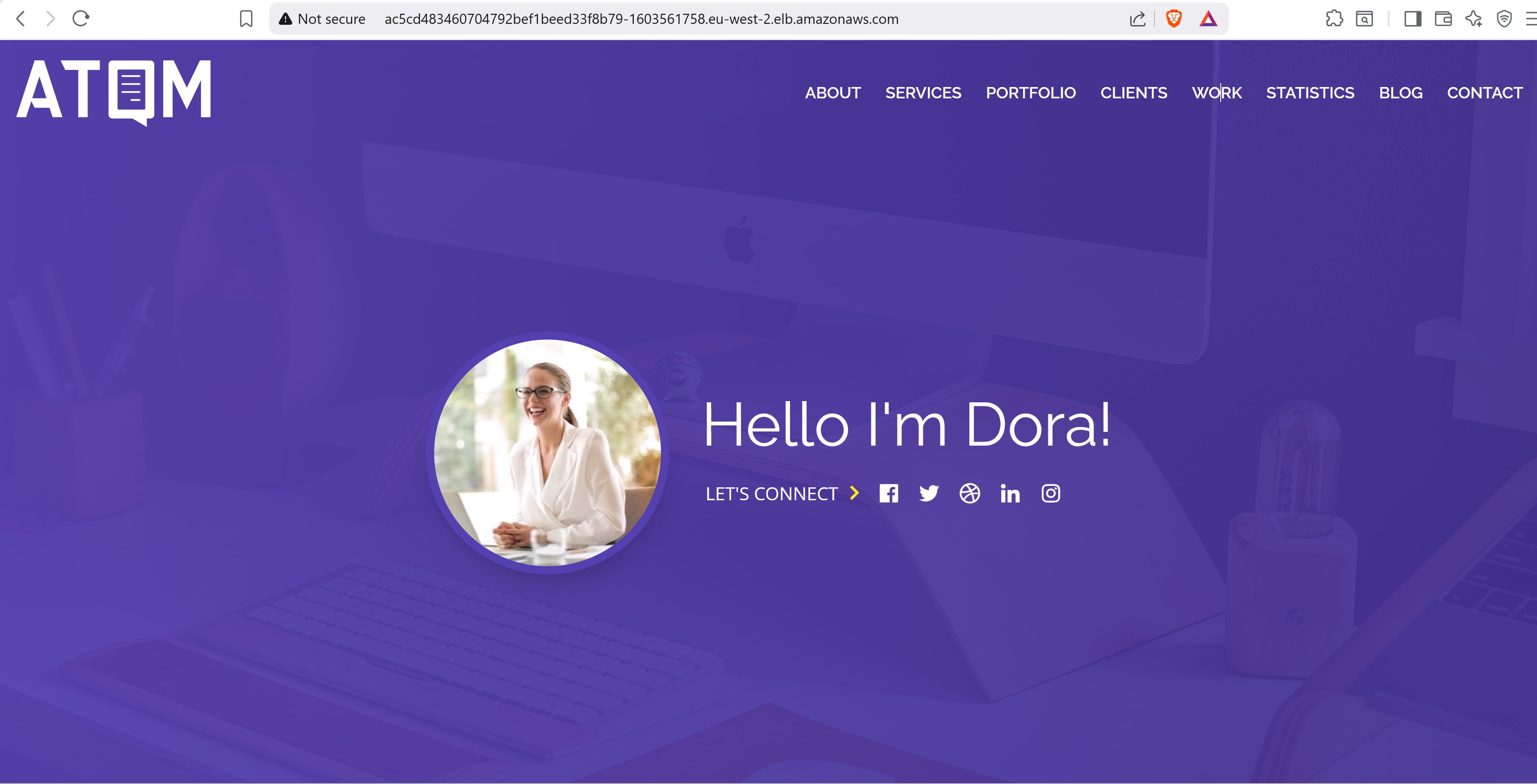
portfoliod app live at the ELB DNS name. Traffic flows Browser → ELB → NGINX Ingress → Service → Pod.
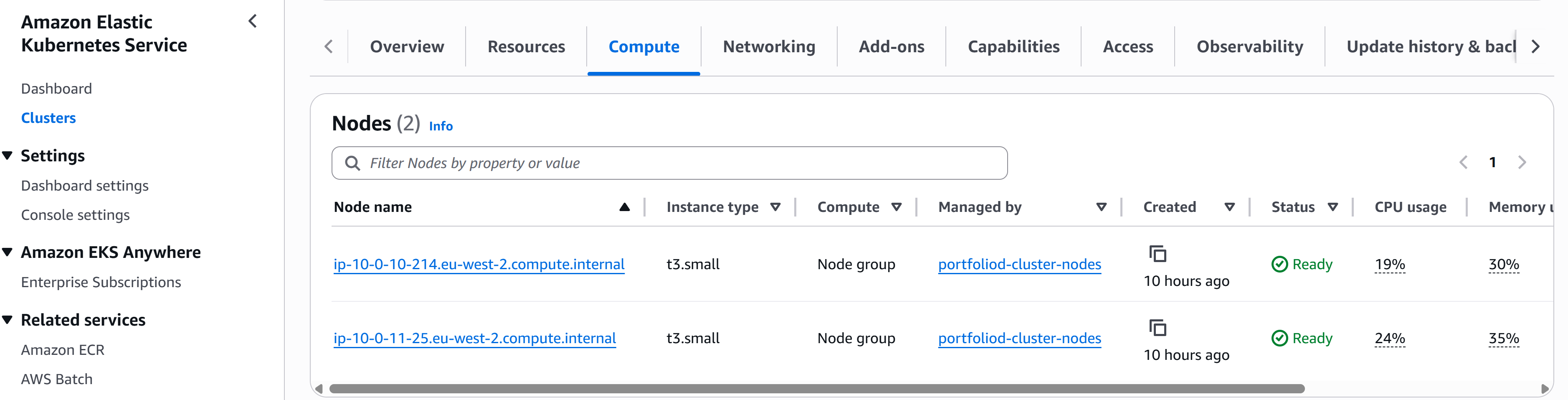
2 nodes in portfoliod-cluster-nodes. Both Status = Ready.
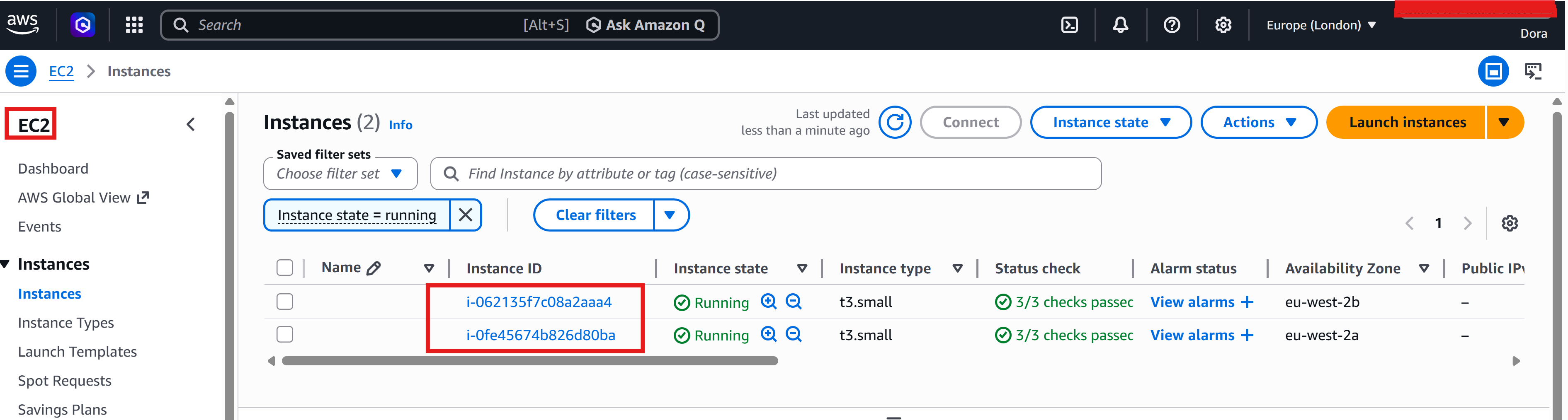
2 t3.small instances Running across eu-west-2a and eu-west-2b.
Custom VPC with public + private subnets across 2 AZs. Public subnets for the load balancer, private subnets for worker nodes.
Allows private subnet nodes to pull Docker images from DockerHub without being publicly accessible.
AWS-managed Kubernetes control plane. Endpoint access: public + private. No control plane to maintain or patch.
2× t3.small EC2 instances across eu-west-2a and eu-west-2b. Managed node group — AWS handles patching.
Separate roles for EKS cluster, worker nodes, and GitHub Actions OIDC. Least-privilege policies on each.
GitHub Actions authenticates to AWS via short-lived tokens. No access keys stored in GitHub Secrets.
minikube runs a single-node cluster locally — useful for learning but not representative of production. EKS provisions real EC2 worker nodes inside a VPC, with a managed control plane, IAM integration, and an Elastic Load Balancer for ingress. Every component in this implementation maps directly to what you would run in a production environment.
The VPC, subnets, NAT Gateway, Internet Gateway, EKS cluster, node group, IAM roles, and OIDC provider are all provisioned by Terraform. This means the entire cluster can be created in one command (terraform apply) and destroyed in one command (terraform destroy) — reproducible, version-controlled, and zero manual console setup.
The NGINX container serves /ready and /live as separate lightweight endpoints returning JSON. Readiness controls whether the pod receives traffic. Liveness controls whether the container is restarted. The startup probe disables liveness during container startup, preventing crash loops on slow-starting containers.
The Terraform stack provisions an IAM OIDC provider and a scoped IAM role. GitHub Actions assumes this role via short-lived tokens — no AWS access keys are stored anywhere in the repository. The trust policy is locked to the specific repo and branch.
Raw kubectl manifests work for a single environment but don't scale. The Helm chart templates the Deployment, Service, and Ingress with configurable values — replica count, image tag, resource limits — so the same chart deploys across environments. helm upgrade --install handles both first-time installs and updates in a single command.
EKS cluster creation takes 10-15 minutes — significantly longer than other AWS resources. The node group takes an additional 3-5 minutes after the cluster is ready.
The IAM OIDC provider for GitHub Actions (token.actions.githubusercontent.com) is account-level. Attempting to create it twice fails with EntityAlreadyExists. Import the existing provider into Terraform state with terraform import rather than recreating it.
NGINX Ingress on EKS requires the controller service type to be LoadBalancer — this triggers AWS to provision an Elastic Load Balancer automatically. The EXTERNAL-IP shows <pending> until the ELB is fully provisioned (~2 minutes).
terraform destroy must be run after helm uninstall to avoid dependency conflicts. Helm removes Kubernetes resources first, which allows Terraform to cleanly destroy the VPC without stuck dependencies on the load balancer.
Project 03 documents the GitHub Actions pipeline — IAM OIDC, dual-track deployments, and keyless AWS authentication.